
What is LiteSpeed Cache and what can it do for me?
LiteSpeed Cache is a WordPress plugin that works with the LiteSpeed Web server to cache (save) a copy of each page, improving page load times and reducing resource usage on your account. We recommend using it on your WordPress site. When a cached page is requested, the server serves the saved copy rather than regenerating the page from scratch, resulting in faster delivery for your visitors.
'Caching' means the web-server keeps a copy of pages it has already served - and if that page is requested again it'll send the cached copy. This saves the time it takes for the server to create that page. This results in much faster user experiences for your visitors.
We recommend only using one caching/optimisation plug-in. The LiteSpeed plug-in works in tandem with your LiteSpeed web server and is capable of achieving most things you could want from a caching and optimisation plug-in. If you choose to use the LiteSpeed plug-in we recommend deactivating and deleting any other caching or optimisation plug-ins you may have used before.
Installation
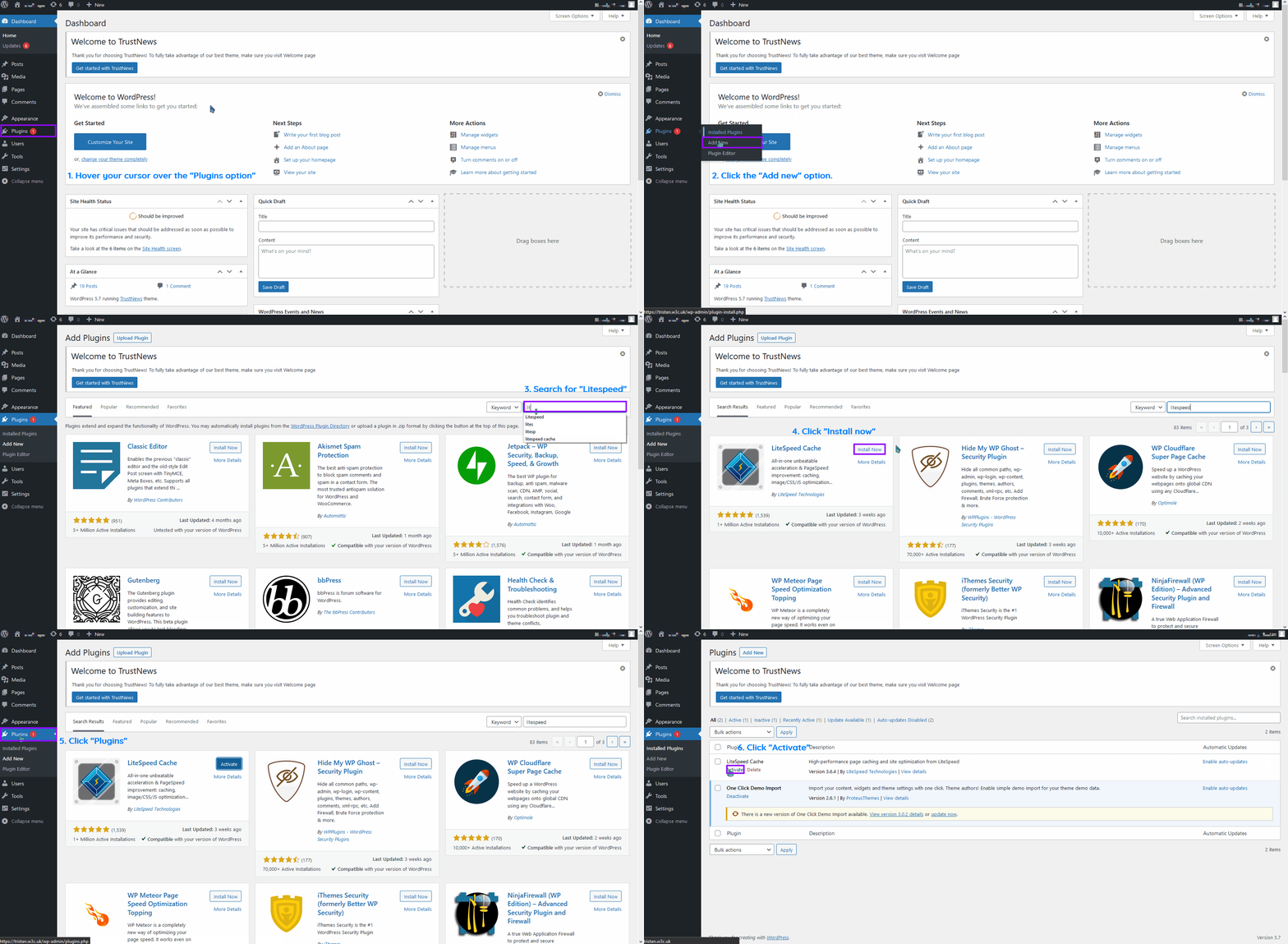
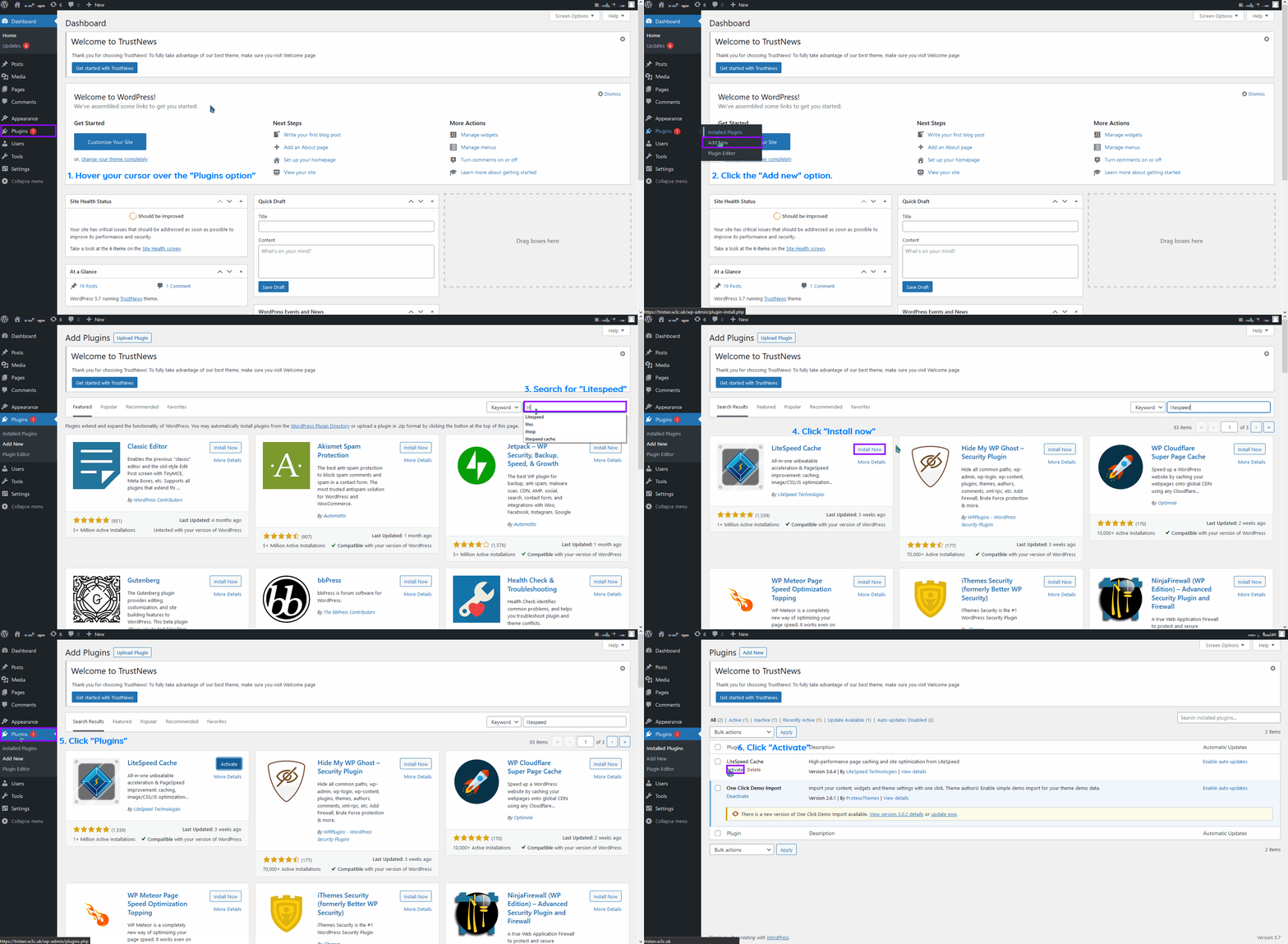
- Login to your WordPress admin panel
- On the left, click the 'Plug-ins' menu item and then click 'Add New'.
- At the top right you will find a 'Search plug-ins...' box, type 'LiteSpeed Cache' then press Enter.
- Locate the LiteSpeed Cache plugin by LiteSpeed Technologies in the search results. Select Install Now under the LiteSpeed Cache box.
- Once the installation has completed, click "Plugins" and click 'Activate'.
Configuration
Luckily, the LiteSpeed Cache plug-in comes pre-configured out of the box for the majority of websites so no changes need to be made here!
What advanced configuration options does LiteSpeed Cache offer?
LiteSpeed Cache includes a wide range of additional optimisation and tuning features beyond its default settings. While it works out of the box in most cases, these options let you fine-tune performance further.
Rather than re-invent the wheel, see the LiteSpeed WordPress Cache documentation — latest version (external link opens in a new window) that runs through all the other features.