
SpamExperts is our dedicated spam filtering service that automatically scans all incoming email for spam, malware, and other threats before they reach your mailbox.
Accessing SpamExperts
cPanel > Email > SpamExperts
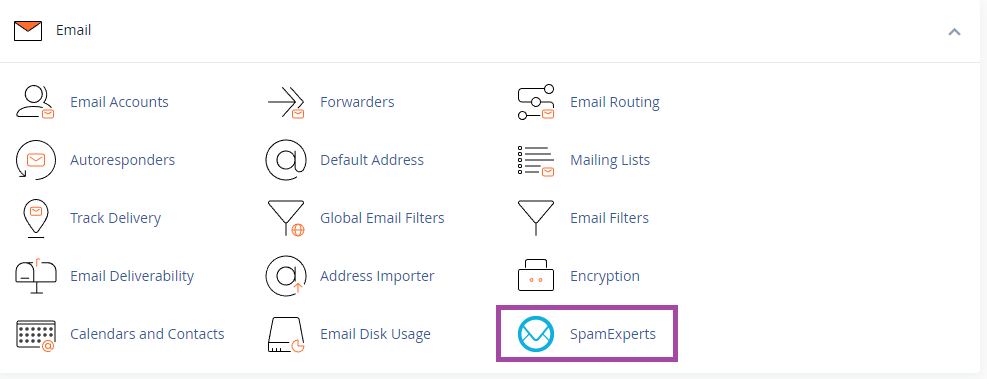
On the next screen you will see a list of domains within this cPanel account. Click Login to enter the SpamExperts configuration for that domain.

SpamExperts is only available when you use Blake Mark Productions for your email hosting.
Depending on where your domain is registered and your website hosted you may need to alter different parts of the SpamExperts system to ensure your mail is filtered correctly and reaches your mailbox.
To ensure your domain's email is being filtered, your MX records should point to Blake Mark Productions' MX servers. This is the case whether your domain is registered with Blake Mark Productions or not, so you will need to do this at your domain registrar or wherever you manage your DNS. By default, new domains purchased from Blake Mark Productions are configured with the correct settings.
Blake Mark Productions mail servers are:
- mx1.cloudhosting.uk
- mx2.cloudhosting.uk
These mail servers pass all inbound email to Blake Mark Productions' SpamExperts cluster, where it is scanned before being passed on to your cPanel server where the messages are routed into your individual mailboxes.
Every cPanel account includes customised SpamExperts settings tailored to your specific requirements.
If all your services (domain, hosting, and email) are with Blake Mark Productions, SpamExperts will work automatically with no additional configuration needed.
If you've just moved to Blake Mark Productions, then your DNS records may not yet be set correctly. You can follow our guides on setting your domains nameservers and How to configure MX records and local/remote mail routing in cPanel guide to complete this task.
Then you should check that the correct SpamExperts Destination is configured to direct scanned email to your cPanel server. This guide also applies if you host your website elsewhere.
SpamExperts uses multiple detection methods to determine whether an incoming message is safe, including:
- Greylisting - This is a technique that presents the sending mail server with a special test that most spam servers will fail. More information on Greylisting is available in this SolarWinds article (external link opens in a new window).
- Real-time blocklists (RBLs) — SpamExperts checks publicly available blocklists of known spam-sending servers.
- Content analysis - SpamExperts inspects the contents of the email messages including attachments to determine if the message is spam.
- SPF and DKIM testing - SPF and DKIM are advanced opt-in techniques used by many mail servers to authenticate outgoing email. SPF relies on the DNS system to identify which mail servers are authorised to send email. DKIM (DomainKeys Identified Mail) uses cryptographic techniques to "sign" outgoing mail. For more details on setting up DKIM and SPF on your hosting, please refer to our DKIM and SPF setup guide.